
Free Overseas Email Signup: Proton Step-by-Step Guide (2026)
If you want to sign up for overseas services like ChatGPT, OpenAI, or Claude, the step that blocks most people is not having an overseas email address. Many email providers either charge money or force phone verification. This guide uses Proton Mail to get you your first free overseas email -- no phone number required -- in about ten minutes.
📚 Table of Contents (click to jump)
- Why Choose a Free Proton Mailbox
- Step 1: Visit the Proton Website
- Step 2: Choose the Free Plan
- Step 3: Set Your Email Username and Password
- Step 4: Complete the Captcha and Skip Phone Verification
- Step 5: Your Inbox Is Ready
- Step 6: New Proton Mailbox Not Receiving Verification Codes
- Pros and Cons
- Who It's For
- FAQ
- Final Thoughts
Why Choose a Free Proton Mailbox
Before you start, it helps to know how it differs from an ordinary mailbox. These points are what make it a good "first email" for overseas services:
- ✅ No phone number required: the whole flow only has a captcha, which is privacy-friendly
- ✅ Free: the free plan already covers signing up for accounts, at zero cost
- ✅ Chinese interface available: switch to Chinese for both signup and daily use, beginner-friendly
- ✅ End-to-end encryption: PGP-encrypted transport, high security
- ✅ Works for overseas platforms: ChatGPT, Claude, Notion and more all accept it
Step 1: Visit the Proton Website
Open your browser and go to the official Proton website: https://proton.me
Click "Create a free account" in the top-right corner to start.
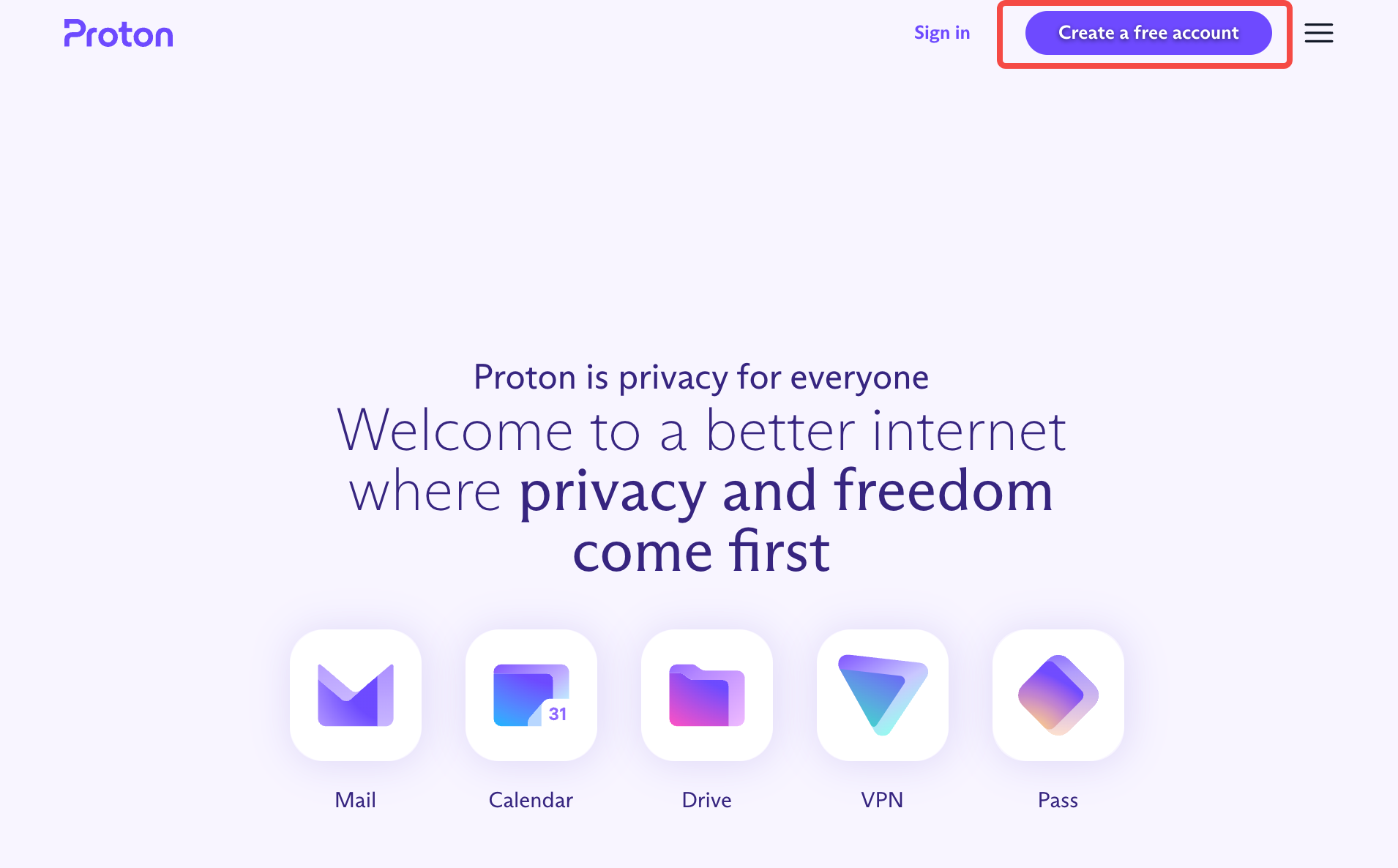
💡 Tip: You can switch the browser to Chinese, or just work in English -- the flow is identical and the result is the same.
Step 2: Choose the Free Plan
On the plans page, select Free on the left. It already covers basic needs -- the free plan includes 1GB of storage, which is plenty for signing up for accounts.
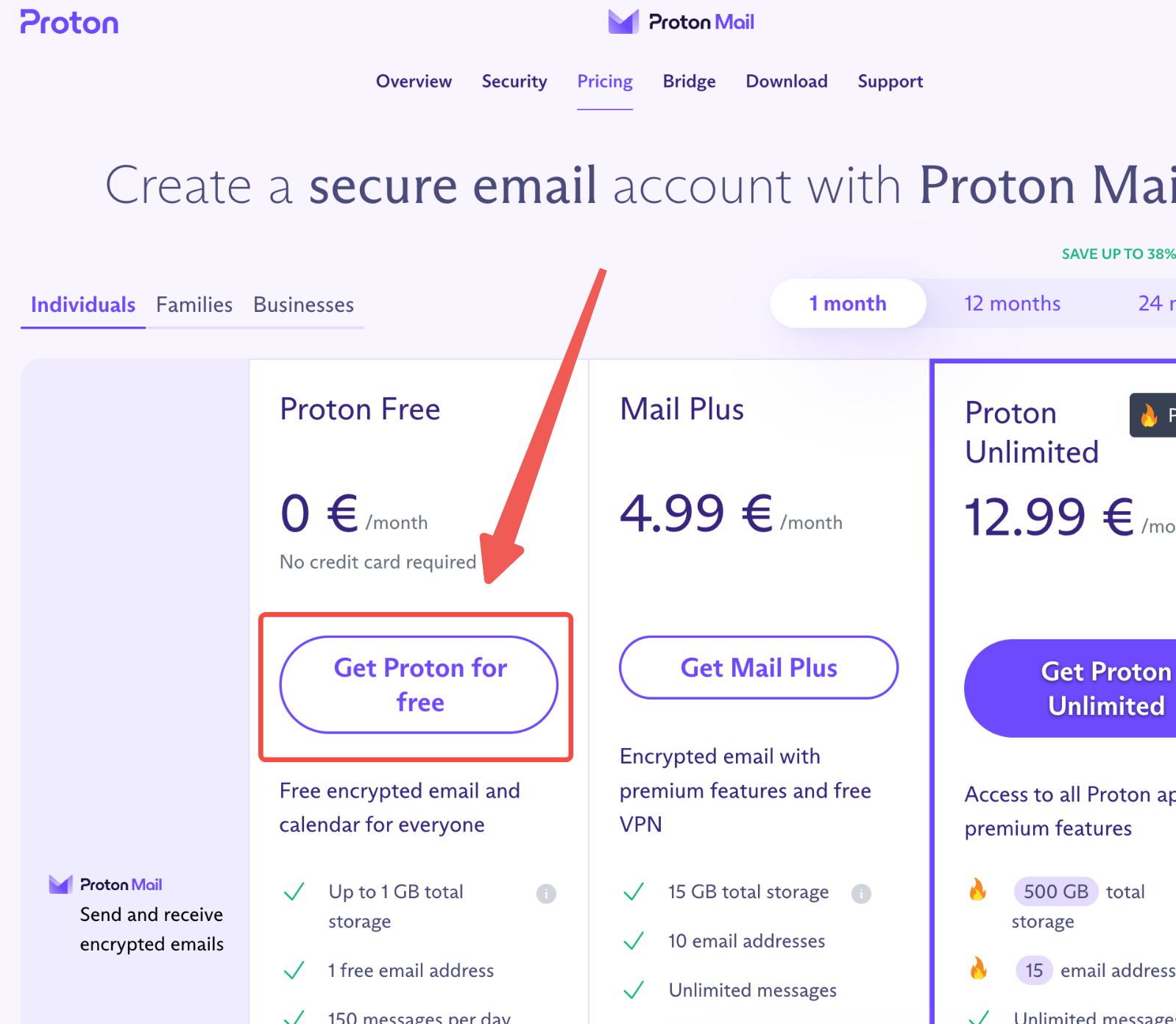
There is no need to buy a paid plan. Unless you later use Proton as your main mailbox long-term, the free plan is enough.
Step 3: Set Your Email Username and Password
- Choose the email suffix --
@proton.meis recommended (shorter and more professional than@protonmail.com) - Enter the username you want (the part before the @)
- Set a strong password to keep the account secure
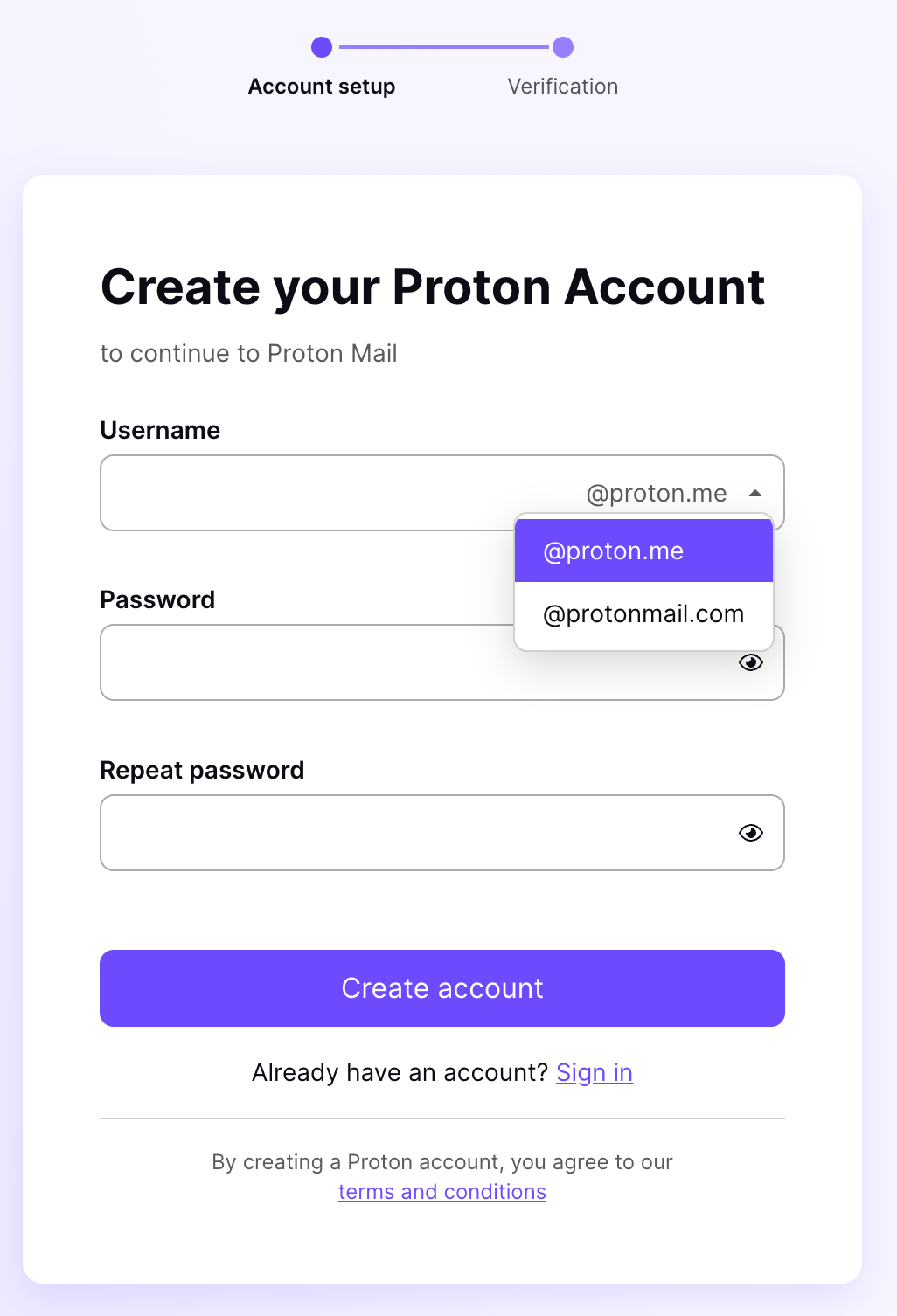
💡 Tip: The username matters for signing up for overseas services later -- use a simple, memorable mix of English letters and numbers.
Step 4: Complete the Captcha and Skip Phone Verification
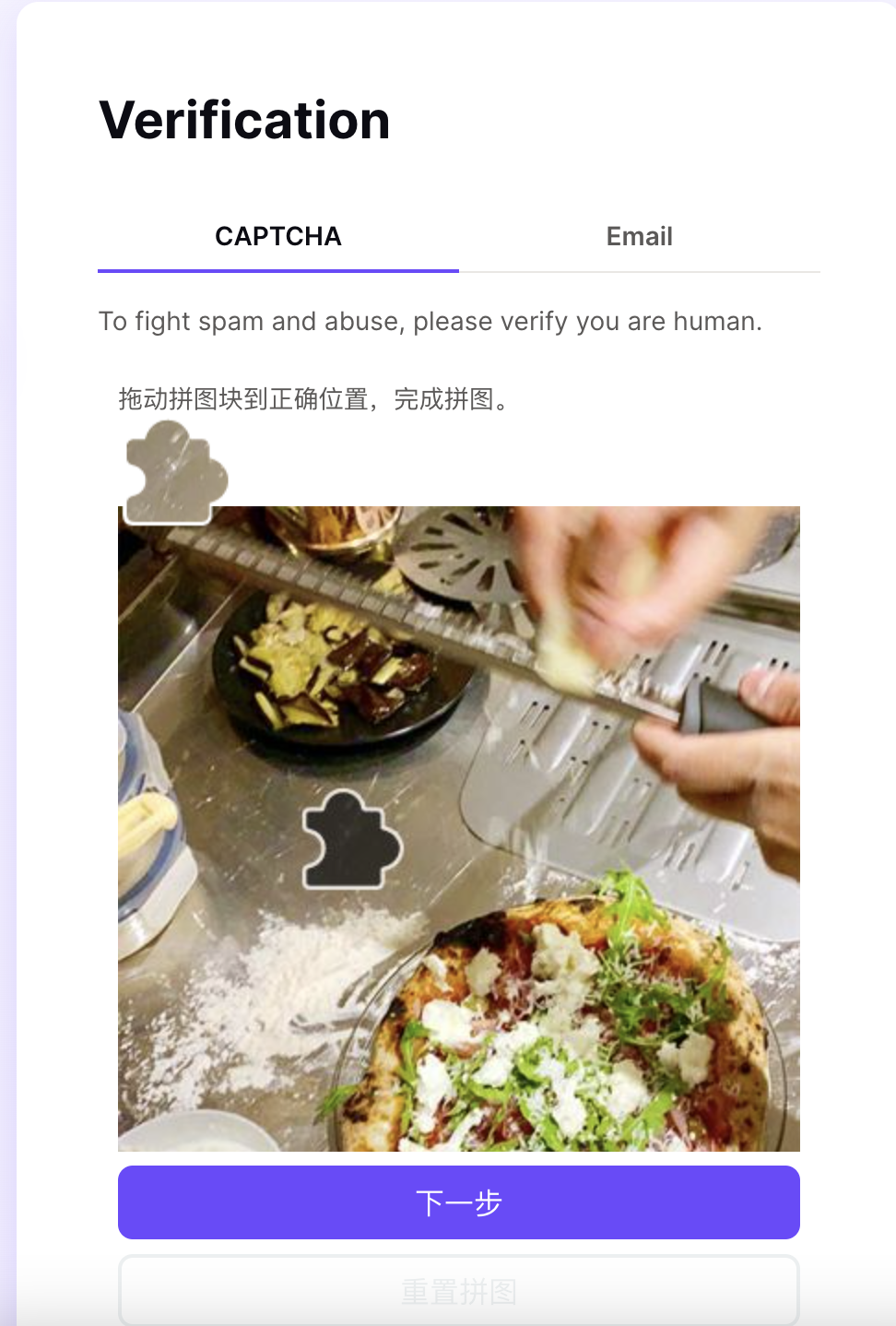
Proton uses a drag-and-drop puzzle for its captcha. It is simple to complete -- unlike some platforms that demand a stack of SMS codes.
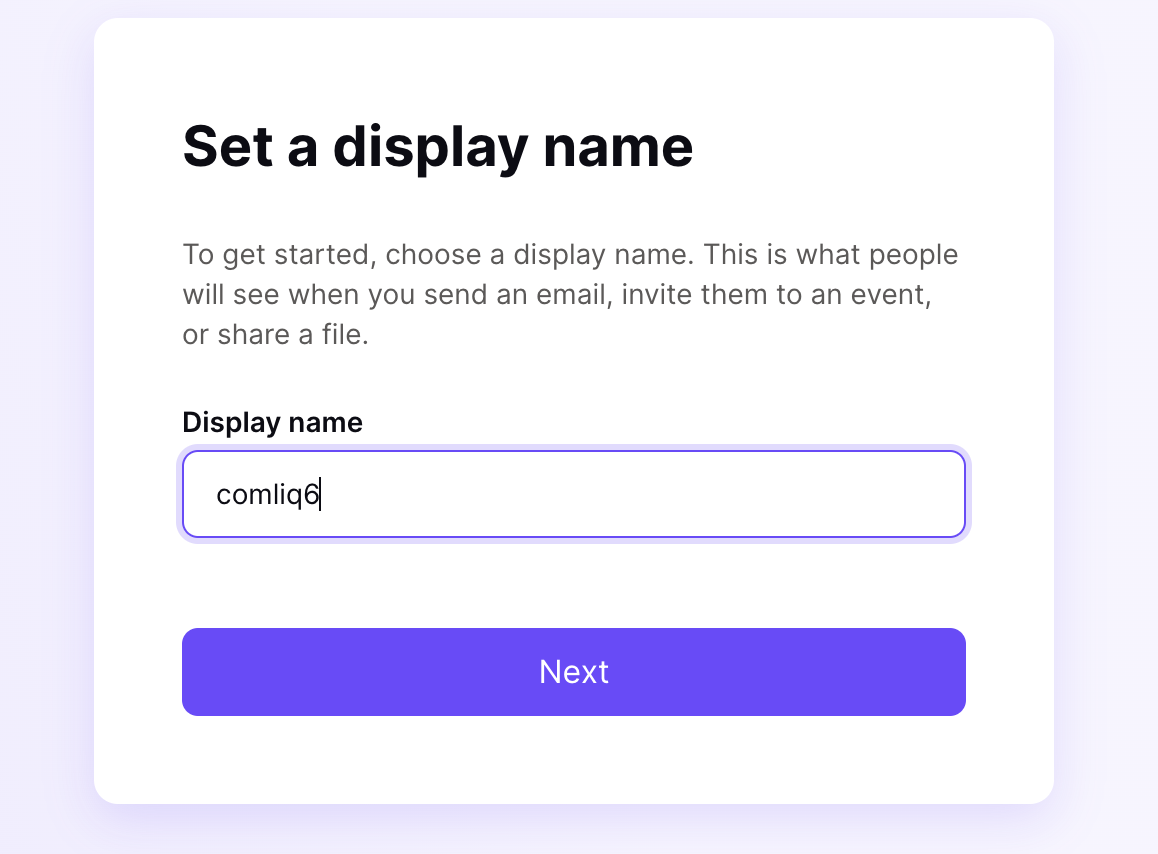
After the captcha passes, set your display name (this is your nickname, not your email address).
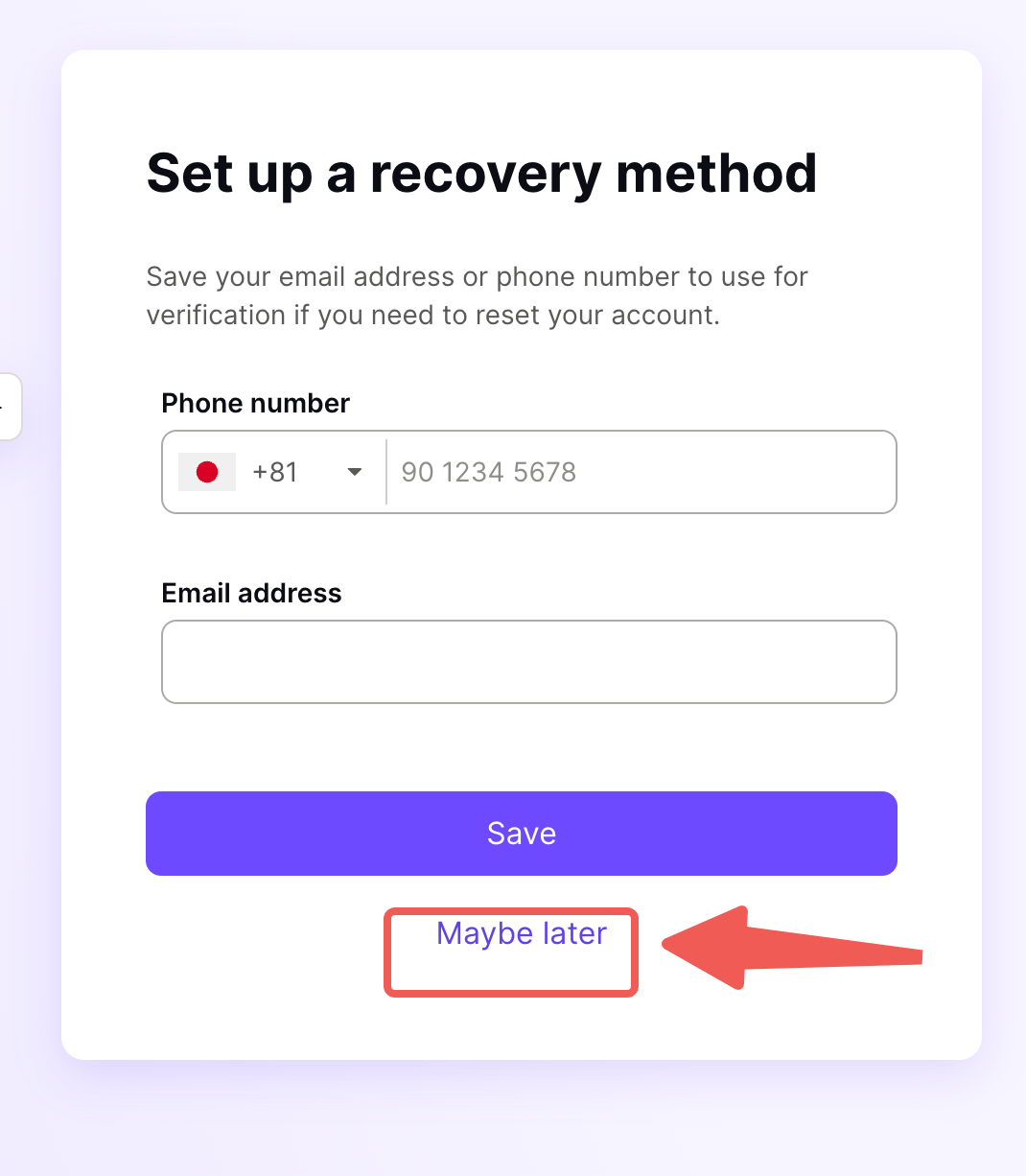
Important: phone verification can be skipped. You never have to enter a real phone number.
Step 5: Your Inbox Is Ready
At this point your free Proton mailbox is registered. You can now use it to sign up for ChatGPT, OpenAI, Claude, Notion AI, Midjourney and other overseas services.
Keep your email address and password safe. If you later use this email to register important accounts, set up Proton's recovery email at the same time, so you can get back in if you are locked out.
What you can do with it (verifiable facts):
- Sign up for ChatGPT / OpenAI
- Sign up for Claude
- Sign up for Notion AI
- Sign up for Midjourney
Step 6: New Proton Mailbox Not Receiving Verification Codes
When you take a freshly registered Proton mailbox and use it to sign up for overseas services like ChatGPT or Claude, you can hit the same wall: the service says the verification code has been sent, but nothing ever arrives in your Proton inbox. Adding a recovery email fixes it.
- Log in to Proton Mail and open Settings in the bottom-left corner.

- In the left sidebar, select Recovery, find Password reset options, and choose Email verification.

- Enter your recovery email address, click Add and verify, and follow the prompt to finish verification.

Once that is done, go back to the service that needs the code and resend it -- the verification code will arrive normally.
💡 Tip: Use a recovery email you check often and that reliably receives mail. It does not just fix this verification-code problem; you will also need it later for account recovery and unlocks.
Pros and Cons
Advantages of a free Proton mailbox
- No phone number: only a captcha, no phone number needed -- privacy-friendly
- Free and sufficient: 1GB of storage plus a daily mail quota is plenty for registering overseas accounts
- Chinese interface: beginner-friendly for both signup and daily use
Limitations / things to note
- Limited storage: 1GB suits a "signup email," not a heavy-duty mailbox
- Free-tier trade-offs: custom domains and extra aliases require a paid plan
- Depends on the network: reaching the Proton website and receiving mail requires overseas network access
Who It's For
- Users who want to register for ChatGPT, OpenAI, Claude, Notion and more but lack an email address
- Privacy-conscious people who do not want to bind a phone number
- Beginners on zero budget who want a free overseas email first
FAQ
Q: Does registering Proton Mail require a phone number? A: No. The whole flow only has a drag-and-drop captcha; phone verification can be skipped. This is exactly what makes it privacy-friendly.
Q: Is the free Proton plan enough? A: Yes. The free plan includes 1GB of storage -- plenty for registering ChatGPT, OpenAI, Claude, Notion and other overseas accounts. Only upgrade if you plan to use it long-term as a main mailbox with large storage and multiple addresses.
Q: Which AI services can I register with a Proton email? A: ChatGPT, OpenAI, Claude, Notion AI, Midjourney, and most other overseas platforms accept it. Prefer using it for services that specifically require an overseas email.
Q: Is Proton Mail secure? A: Yes. Proton supports end-to-end encryption and PGP-encrypted mail transport, and does not require a phone number. As a "one-time identity" email for signups, its privacy edge is even clearer.
Q: My new Proton mailbox is not receiving verification codes -- what should I do? A: In Proton Mail, go to Settings → Recovery → Password reset options, choose Email verification, and add and verify a recovery email. That solves the problem.
Final Thoughts
The hard part of getting a free overseas email is usually not the steps -- it is that most people do not know Proton needs no phone number and offers a Chinese interface. Explain those two facts plus the real steps, and you skip most of the paid registration services and forced-phone-number traps online.
With the email in hand, your journey into overseas AI tools has just begun.